Creating a Book
A Minecraft book is composed of an author, a title and pages. Each page can be formatted using MiniMessage’s formatting, and can contain clickable links, hover effects and more.
Create the book
Section titled “Create the book”First, let’s create the book itself. You can use the following expression to do so:
set {_book} to a new book with title "My Book" and author "ItsTheSky" #(1)!-
You can use MiniMessage’s formatting here too! For instance:
set {_book} to a new book with title "<gradient:red:blue>My Title" and author "&6Its&cThe&9Sky"
Add pages
Section titled “Add pages”Now, we can add pages to our book. One element added to the pages represents one actual page of the book!
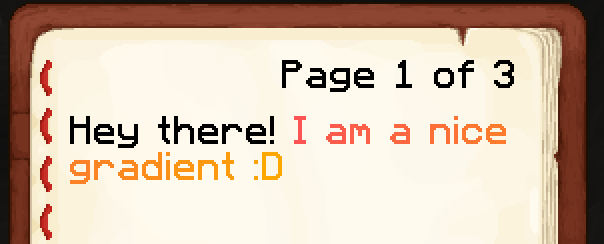
# First page (with gradient)add "Hey there! <gradient:red:gold>I am a nice gradient :D</gradient>" to pages of {_book}
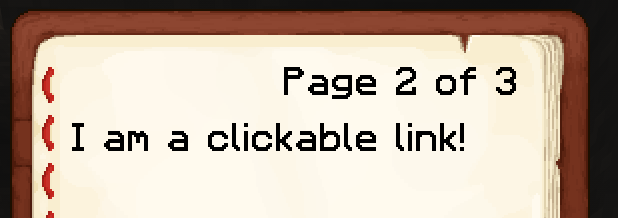
# Second page (with clickable link)add "I am a <click:suggest_command:/say Hello!>clickable link</click>!" to pages of {_book}
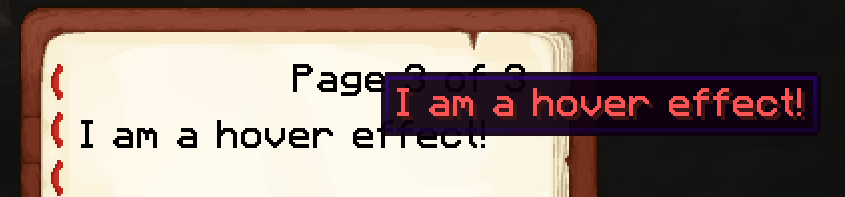
# Third page (with hover effect)add "I am a <hover:show_text:'&cI am a hover effect!'>hover effect</hover>!" to pages of {_book}Open the book
Section titled “Open the book”You can finally open the book to one or more players, using the following effect:
open boosk {_book} to playerResult
Section titled “Result”This code will have the following results:
Give the book
Section titled “Give the book”Optionally, you can give the book as an item to a player. You can use the following expression to convert your book into a Skript’s item:
set {_item} to book {_book} as item
# ... and then for instance:# give {_item} to player